
Popup surfaces
Popup surfaces host shell controls near their opener and keep their own presentation and focus lifecycle.
Current beta & runtime boundary
At snapshot 6e6ad828c (2026-11-02 canonical ledger), 19 of 242 whole EARS requirements and 42 of 417 scenarios hold historical source-bound acceptance (ELM-TEA-001, ELM-TEA-002, and ELM-DEL-010), while ELM-TEA-004 single-root subscription observer coverage remains in preparation. The embedded specimen below runs in-browser over deterministic fixtures, and captures in Evidence come from the frozen bc3daf7b reference baseline. Native Omarchy/Hyprland layer-shell popup placement, focus return, AT/IME, and release acceptance remain OPEN.
Overview
Popup surfaces host shell controls near their opener and keep their own presentation and focus lifecycle.
Anatomy
A heading, status and ordered controls form the surface; placement follows the host allocation.
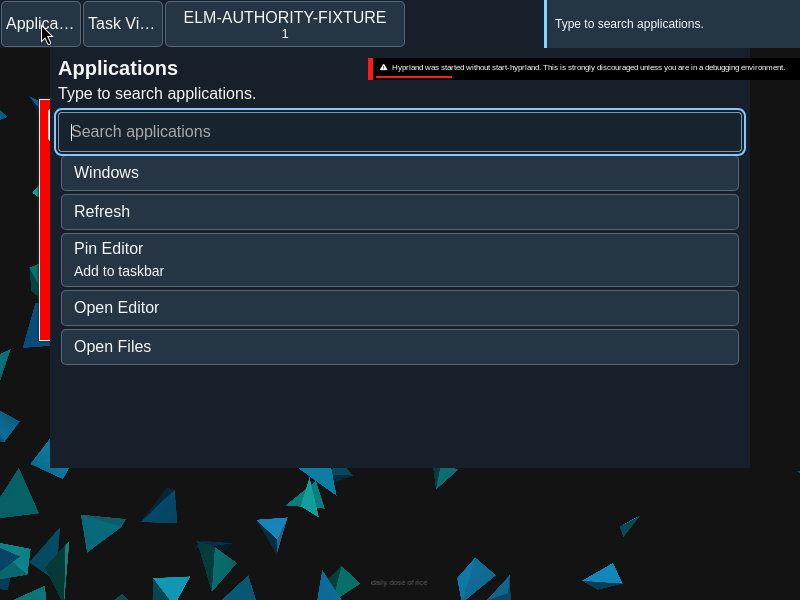
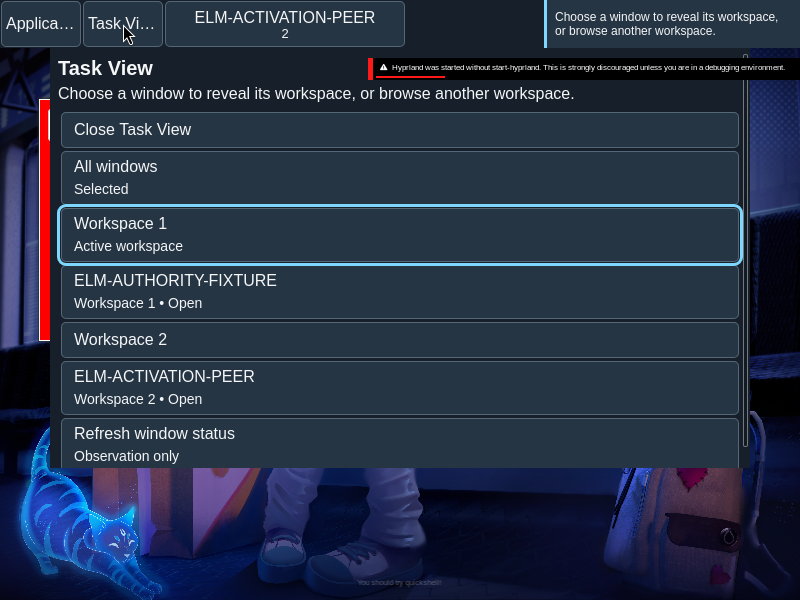
The popup’s heading and status precede its controls. The same renderer presents different modes, with mode-specific roles such as menu or switcher listbox.
States
A current publication and lease identify the actionable presentation. Dismissal, reflow and replacement can retire it.
- Published: controls belong to the current presentation and lease.
- Reflowed: placement follows the latest host allocation.
- Retired: a replaced or dismissed presentation cannot authorize a stale action.
Specimen
Real Elm interface. Simulated desktop. Client window interiors are fixtures. Load the desktop only when you want to explore this component.
Open the full desktop scenario
Related archived specimens: Frozen v6 popup. Frozen v6 is an archival reference.
Behavior
The controller admits presentation updates and routes actions. Escape or dismissal closes the surface; reflow follows the host, and focus returns through the controller.
Open a surface from its bar or context control. Escape dismisses supported popup modes, and the controller handles return to the opener. Reflow changes placement without inventing a new action.
Accessibility
Opening focus, keyboard ownership and return to the opener are part of the interaction. Controls stay reachable when the surface scrolls.
Content
Use a clear heading and native control labels. Status wording belongs to the surface’s announcement policy.
Headings identify the current surface; status text describes its current facts or outcome. Keep the labels of controls meaningful outside their visual arrangement.
Evidence
Unmodified captures of the running interface record the states below.
Try it
Explore popup surfaces in context on the simulated desktop.