
Files
Open an installed file application through the shell’s Files integration.
Current beta & runtime boundary
At snapshot 6e6ad828c (2026-11-02 canonical ledger), 19 of 242 whole EARS requirements and 42 of 417 scenarios hold historical source-bound acceptance (including ELM-DEL-010 on 05dc0557, alongside published a327c8f7f Store/Catalog/PinStore and 6e6ad828c persistent custody CPU checks; Quint operation semantics govern scripts/ops.sh). The embedded desktop specimen below runs in-browser over deterministic fixtures, and captures in Evidence come from the frozen bc3daf7b reference baseline. Live desktop Files launch, focus, AT/IME, provider cleanup, and release acceptance remain OPEN.
Overview
Open an installed file application through the shell’s Files integration.
Anatomy
The popup presents the observed location, collection destinations, a folder path field and Open folder. Home and collections are separate explicit actions.
States
Typing edits a draft and does not open a folder. A valid path is absolute, ~ or begins with ~/; it is subject to length and control-character limits. Service and peer observations determine the displayed location.
Specimen
Real Elm interface. Simulated desktop. Client window interiors are fixtures. Load the desktop only when you want to explore this component.
Behavior
Choose a collection or enter a path and select Open folder. A matching request, service, newer revision, visible peer and location establish an opened result. Refresh reads state without replaying the request.
Accessibility
Label the path field and the explicit Open folder button. Typing alone changes the draft, so keyboard and composition input do not launch a file application. Collection buttons and service status remain reachable and readable at enlarged text sizes.
Content
Files integrates with an installed file application. Show the observed peer and location only when the service supplies them; an unavailable service gives its reason and cannot open a target. A refused request asks for a refresh before choosing again. An unknown result or connection loss leaves opening unconfirmed, and refresh only reads state.
Evidence
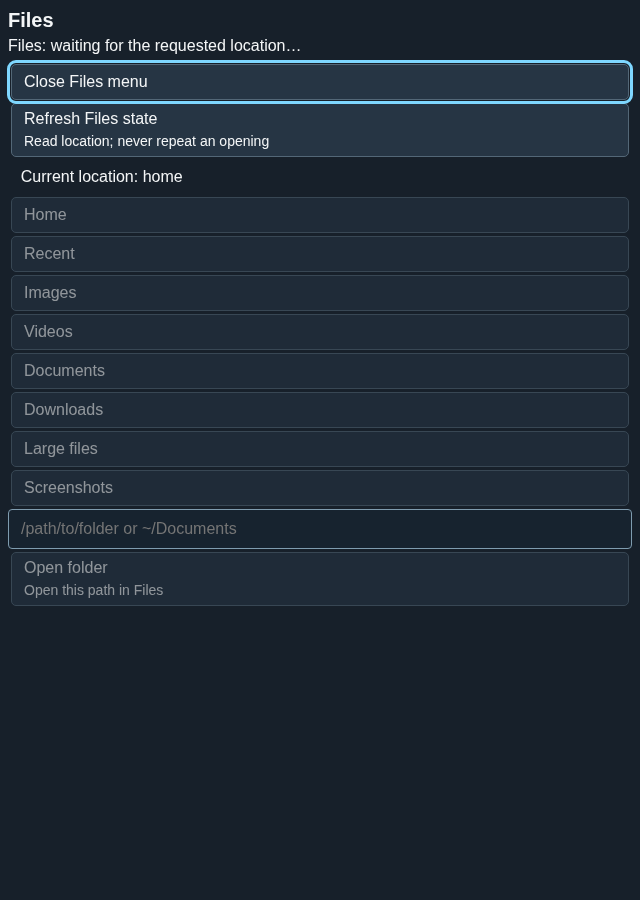
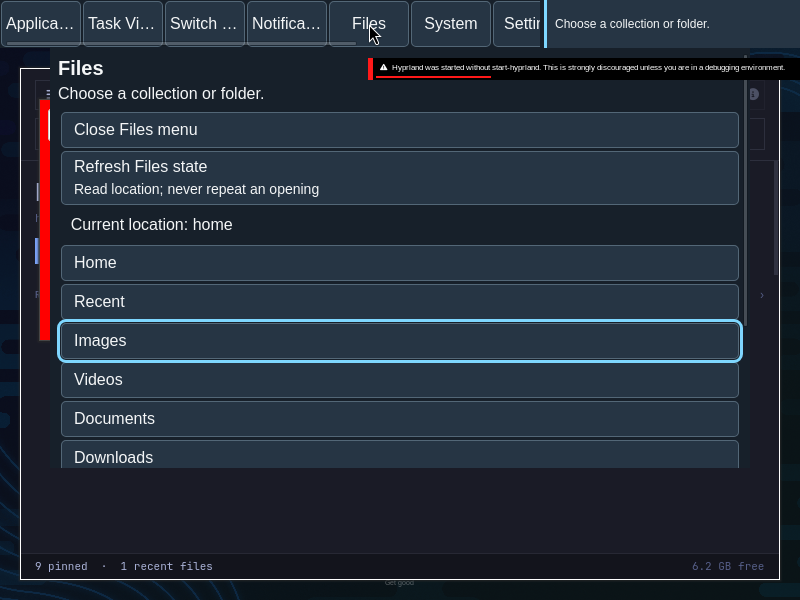
Captures show the running interface; they are not simulated fixtures.
View Files source on GitHub (external reference).